
In the app: gear (settings menu)
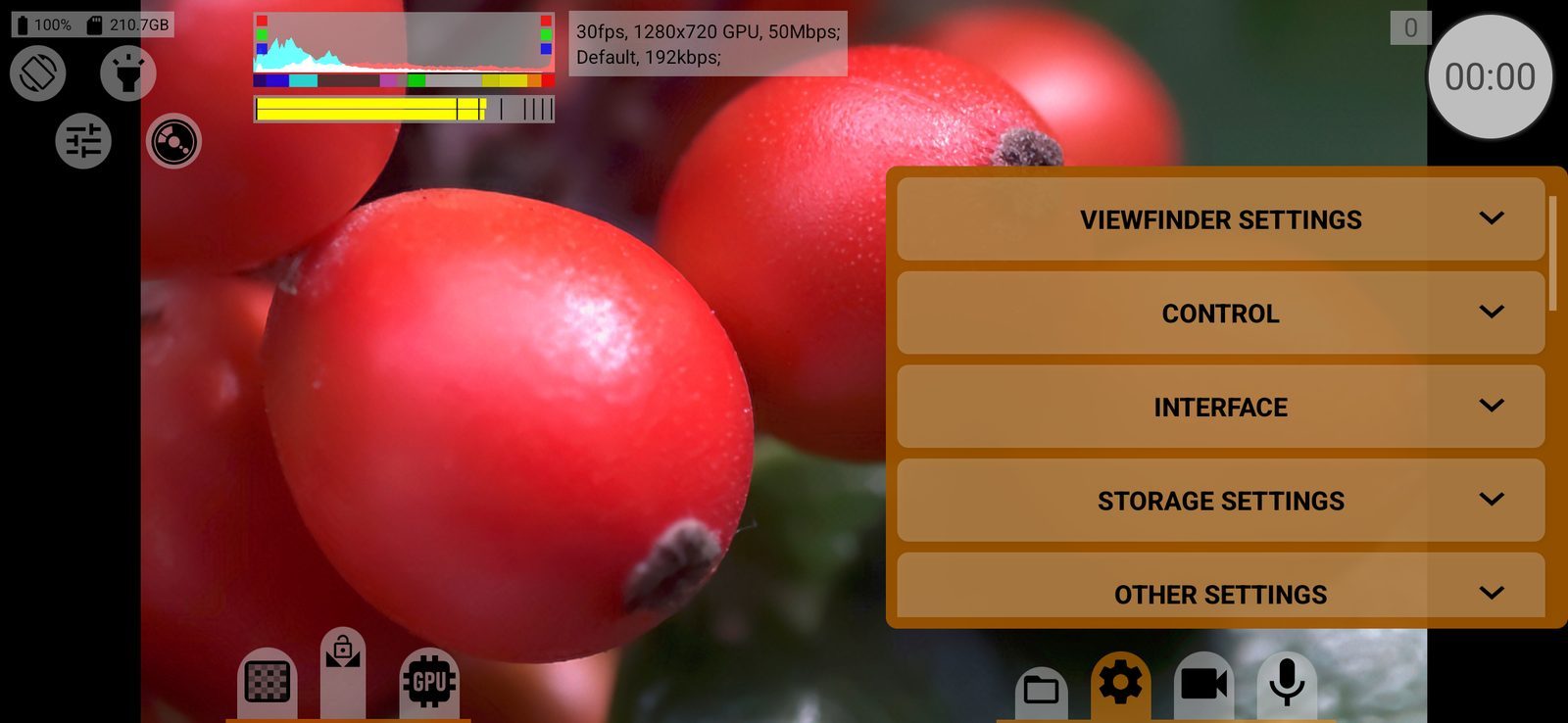
The gear button opens the app settings. They are grouped into five sections; tap a section header to expand it:
- Viewfinder settings: what you see on the screen and on an HDMI monitor;
- Control: how the recording stops, sounds, auto-locks, hardware buttons;
- Interface: theme, brightness, which screen elements are shown, the information panel;
- Storage settings: where files are saved and how they are split;
- Other settings: auto-close, overheating, Do Not Disturb, orientation, screen brightness, language.
The menu does not open during recording.
Below the sections:
Global settings
Three buttons:
- The first button resets everything: after the Clear all settings confirmation, deletes all settings and presets and restarts the app. The language, theme, interface brightness and opacity and the navigation bar setting are kept. You will be asked to accept the privacy policy again.
- The second saves all settings and presets to a
.jsonfile in a place you choose. Use it as a backup or to move settings to another phone. On success the app shows Settings backup saved. - The third loads settings from such a file, replacing all current settings, and restarts the app. If the file was saved on another phone model, the app warns with Phone model does not match: settings for another phone may not fit this one.
RAW Bundle
Shown when RAW Bundle can be bought for this phone and has not been bought yet. The button opens the purchase.
Support the project
One-time donations of 1, 2, 3 or 5 euros, shown in your currency. They support development and do not unlock anything.
The last block of the menu shows the phone model, chip, Android and firmware version, and the open-source libraries the app uses with their licences. Quote the device line when you write to support.