mcpro24fps — Professional Video Camera for Android
Complete Camera Control. Award-Winning Results!
 Plays on click — the video is loaded from YouTube (Google).
Trusted by Filmmakers Worldwide
★★★★★MCPro24Fps is nothing short of STELLAR... it has been absolutely, 💯 percent ☄☄☄ beyond on 🔥🔥🔥!!! This professional manual camera app has returned me to an old profession I thought I'd never work in again, and forged a new career path for me moving forward... The team is very responsive to inquiries & questions, and their Instructional guide has been very helpful with understanding the app and its abundance of features... BIG thanks for this epic, ingenious creation! CHEERS 👏🏿🍾🥂...
★★★★★I have produced and filmed with many cameras such as Panavision, Arriflex, Hasselblad, Nikon, Canon and many more with credits such as Microsoft, abc, MTV, Epson and lots of international projects. mcpro24fps Is a professional grade app with features which only a professional film maker could develop. Now if this team could crack open the note20 ultra 108 megapixel camera plus build a still camera app, I personally would pay $100 for the upgrade. Bravo
★★★★★10-bit log, All-i & constant FPS recording are game changers in my opinion and not even the popular iPhone+filmic pro combo can match that. For the first time in 3 years I'm considering upgrading to a more powerful phone only to use this app! My LG V20, although perfectly fine for daily use, chokes when using this and gives overheating warning...but I'm surprised that it even works with such old hardware. This level of flexibility and nerdy features is what Android is all about! Thanks a lot.
★★★★★Really amazing app that does even more than Filmic Pro and some features I didn't think possible. Only major flaw is the lack of exposure options. By default auto should leave shutter at 180deg and control auto exposure with ISO and only change shutter slower if max ISO is reached or faster if min ISO is reached. Great to have manual and auto but auto should be more intelligent (not increase shutter speed and ISO like it does) and also be able to lock shutter and use auto ISO only.
★★★★★Best non native Android camera app I've ever tried (and I've tried a dozen or so) Most comprehensive set of features, well designed interface & most reliable performance. It is definitely a 5 star app now just the way it is -- but still could improve with the addition of a few small features. Very impressive app - vastly superior to Fimic Pro as far as GUI and quality of video output. Great work by developer(s) - hope they continue to expand and refine app
★★★★★This is the best video recording software for Android that I've used. It has the most features and settings and is not overly complicated. Read the manual! The developer answers questions very quickly. Frankly, anyone who doesn't give this software at least 4 stars likely doesn't understand how good it is and/or doesn't understand that hardware (and the manufacturers limiting the potential of the hardware) are likely the reasons for their issues. Very much recommended.
★★★★★This is a huge game changer for Mobile filmmakers, I was thinking of getting an iPhone until I saw the capabilities of this app. It's very amazing, the footage looks great when I grade it, in terms of details, and quality, its something what most filmmakers needed. Is there like an open forum for discussion to see how far the camera can go? And like what kind of support we get on all smartphones tested, experiments to do. We need to get more people try out this app.
★★★★★The must powered app that understanding what you need for filmmaking. If you know what you do, that is powerful rack camera embend ( S-log3, S-log2, Cineon, DaVinci log, F-log, mcinelog ) 8bit / 10bit. Different type of camera controls and many many things for the best results. So far, so good and farway the best choice. Congratulations all mcpro24fps team for faster answers and development skills.
★★★★★This is a truly powerful filmmaking app that us Android users (and mobile filmmakers) are proud to have! The color gamut + gamma curve color workflow alone makes this app truly professional, and the community support is awesome as well! Take your mobile filmmaking to another level with this amazing app! Kudos to the devs for continually improving it and implementing our requests!
★★★★★Astonishing. If you are into content creating / film making, this app is a must !! Filmic pro use to be the go to but lacked some features. This here is second to none and is worth every penny ! If you want to squeeze your device to get the very best video from it, here's the app. The devs are awesome to deal with and very responsive. You should be proud of yourselves, well done
★★★★★My God, this is what I've been waiting for. Exceptional program. Is it is easy to use? Hell no, and that's the point of it. There's a learning curve and if you truly wanna be a pro you must learn what all these do and take advantage of them for truly professional work. You can set bitrate, fps, intra frame mp4, luts. It's amazing this Russian programmer has nailed this feature set. It's brought my old Samsung back to life. Get any new Android phone with multiple lenses on board and shine.
★★★★★Fantastic app. So customizable. Love how you can move the interface margin to allow the use of a clip on ND filter. Especially love the ability to set bit rate, profile (in my case Flog to go with my Fuji camera), etc It might look slightly less polished than FilmicPro (which I also own) but I find it's controls more predictable, easier to set, lock, manage, etc. Love this app. Would pay twice as much for this. Highly recommend it.
★★★★★10 bit video from my S20 Ultra (Snapdragon) looks phenomenal. I wish I could also record 10 bit log but that's limited to 8 bit on my phone and 10 bit 60fps is a no-go. I assume those are hardware limitations but I'm happy to be wrong if those can be fixed. In the meantime, the quality of 10 bit 24fps is far above anything the native app can produce (even in pro mode) so it was well worth the purchase just for that. There is a learning curve but it wasn't as steep as some others have suggested. It took a couple of hours to test all the different settings to see what works but after that was pretty easy.
★★★★★I recently had a bug that prevented me from opening the app, turns out it was an old SD card I was using. The dev team was very helpful and responsive, and I got the issue resolved within a couple of days. Beyond the service, I'm a big fan of this app. It allows for a lot of control and advanced features so that I can maximize the quality of my phone's camera. I would definitely recommend this app before any other camera app on Android, I have tested many and mcpro stood out.
★★★★★Amazing alternative to FiLMiC Pro, so far so good. I was almost going to buy the iPhone SE2 as I couldn't find anything usable for Android. Then I saw mcpro24fps vs FiLMiC comparison video in YouTube. Downloaded it and tried, works as good, if not better than FiLMiC. Thank you and keep up the great work! BTW, I'm using Sony XZ2 Premium.
★★★★★Wow. Just, wow. Started playing with it after purchasing today, and it already wipes the floor with Filmic Pro. So many options and features, at a fraction of the cost, but there is a learning curve! And the output is superior. So glad we Android users finally have GOOD options. (Note 20 Ultra)
★★★★★I absolutely love this app and it's now my go-to tool for video recording. In my opinion it's the best mobile video recording app on the market. Works great and the developer is super responsive...thanks so much! Using an S21 Ultra with Snapdragon. 10-bit is up and running beautifully.
★★★★★This app is incredible! Skip the GPU and get 10bit footage! Crazy selection of tonemap curves. Actually has ACES as well. I wish I could shoot ACES with 10 bit, hopefully in a future update. Crushes all other video apps if you are looking to get true control over the output.
★★★★★Simply the BEST and most function loaded professional filming app today. Packed with detailed settings and LOGs, fully ready for a professional gig or just a hobby. The competition (F*****) stays behind, but is totally cool too. Two solid apps.
★★★★★This was already the best app for mobile cinematography in my opinion (and I own all major apps for android), but after the super quick response and help from the devs in a recent question I had, I love it even more. Keep up the good work!
★★★★★There is no 2 ways about it this app No 1 when it come to android mobile film making a trial will convince you.come and thank me later😁😁😎😎😍😘😘
★★★★★The best video recording app for Android. Every setting you could ever need to make it work how you want it. Bitrate and resolution support is better then any other camera app available.
★★★★★Best mobile video app on Android period! Well worth the mo way and the developers are alway on hand with any problems you may have, would definitely recommend absolutely amazing app
★★★★★As an Android user, this app is unbelievable. I've completely stopped using filmic Pro. The features are endless. Finally, a real cinematic Masterpiece for Android users.
★★★★★Full sensor support on Android. I am through the roof thrilled. Works amazingly well on the Pixel 2, a 4 year old device. Download and don't look back.
★★★★★On my Note8 I can get 240mbps, and the mlog100 is the best flat profile I've seen to date! Amazingly cinimatic video- even from my old phone
★★★★★Amazing tool, once you know the ins and out, there's no better tool. It literally gets the best out of your smartphone camera. Love it
★★★★★excellent app to bring the best out of your cameras sensor. pro level features and keeps getting constant updates.
★★★★★This is the best video camera app for Android. It can pull the maximum performance of my cheap phone. recommend
★★★★★In my Note 20 Ultra 5g I can record 10bit with Log. Impressive fast customer support.
★★★★★The best app for videographers, you have all the settings needed without compromise !
★★★★★Experia XZ1: Impressive results. A lot of options to work with. Recommended.
★★★★★Absolutely PHENOMENAL camera app. I would give it 100 stars if possible.
★★★★★best cinema tool ever 👌👍👍👍
★★★★★I love it it's easy of use with high quality videos
★★★★★Brilliant smartphone filmmakers app
★★★★★just speechless... mind blowing
★★★★★Best camera app for android
★★★★★best app for video capture
★★★★★i really love this app!
★★★★★The best you can get
★★★★★Great!! Excellent!!!
★★★★★Incomparable
Professional Video Tools at Your Fingertips
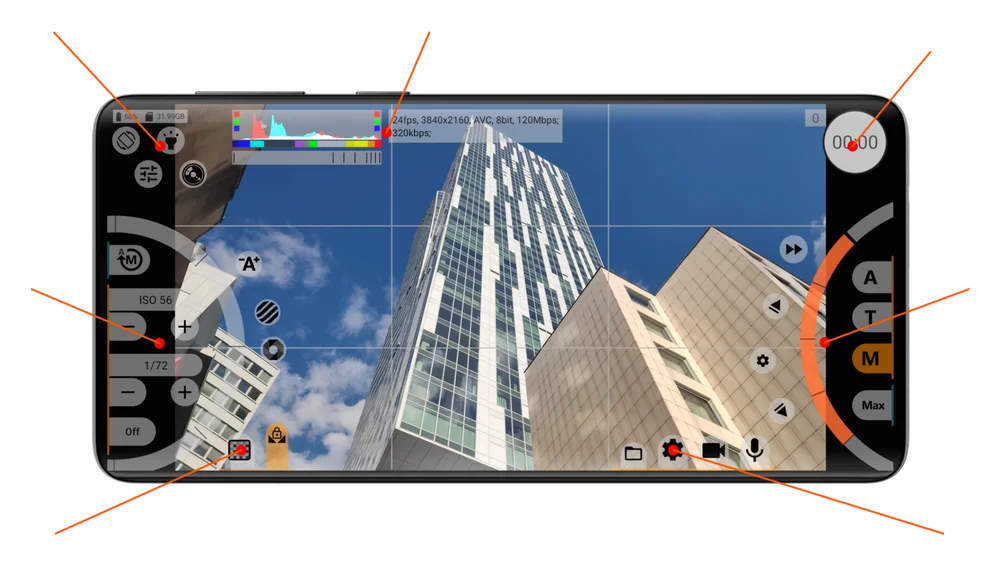
When Stock Camera Is Not Enough
Take full control of focus, zoom, exposure and white balance with manual, automatic and programmable options. Advanced analyzers and indicators provide precise visual feedback throughout your shoot.
Shoot in Log for maximum post-production flexibility in mobile videography. Access Log profiles from leading cinema cameras, wide color spaces and technical LUTs for instant conversion to your desired color space.
Ready for ultimate image quality? Discover the power of RAW video recording. Capture every detail, gain maximum control in post-production and unlock your smartphone camera’s full potential.
Will It Work on Your Phone? Test It Yourself for Free!
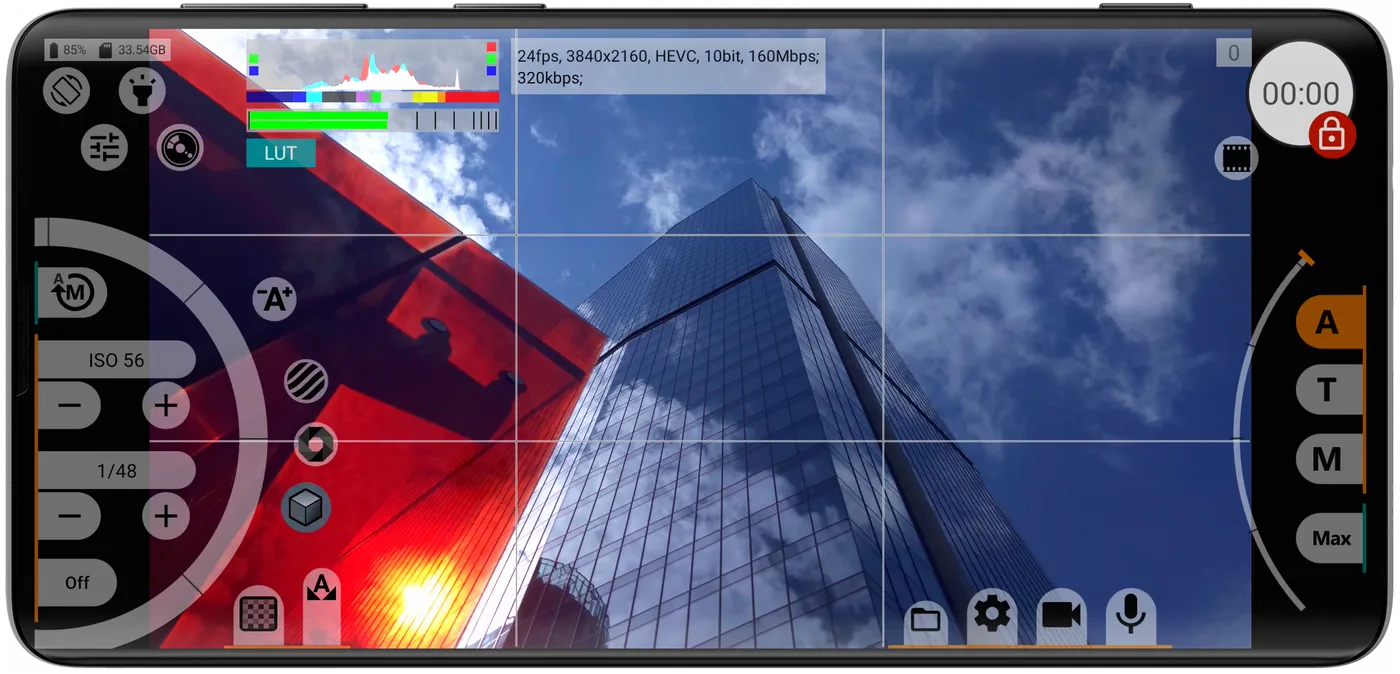
Try any available features, settings, codecs, frame rates and recording modes on your device with mcpro24fps Demo. Record short video samples for free.
Ready to Create Without Limits?
Discover why filmmakers and content creators choose mcpro24fps when they need more than a standard camera app.
Download from Your Favorite Platform
mcpro24fps Demo
Download for Free!




mcpro24fps
One-Time Purchase!
mcpro24fps RAW Converter
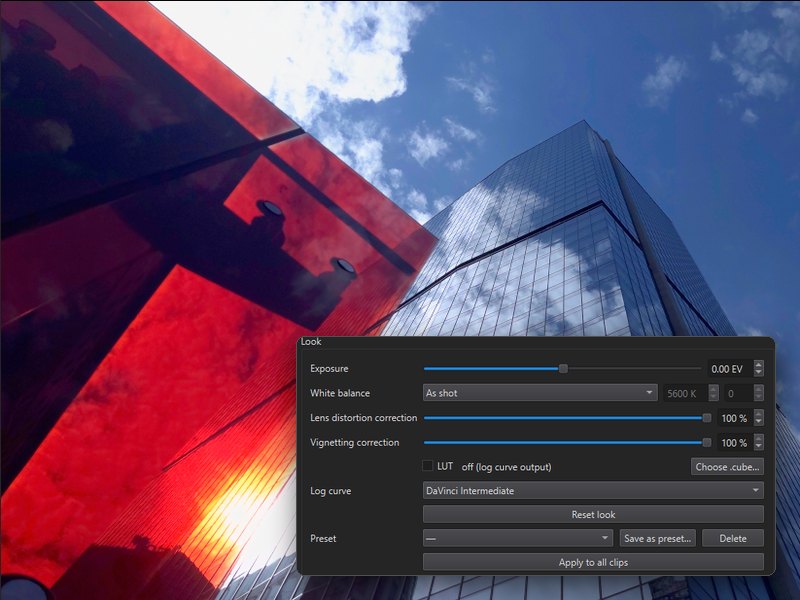
PC Converter with extra features for RAW Bundle owners (7-day trial included)!

Full converter functionality, just like the built-in converter in mcpro24fps, plus .mcpro preview support in File Explorer, Adobe apps (Premiere Pro, Media Encoder and After Effects) and Blackmagic DaVinci Resolve.
mcpro24fps Meta
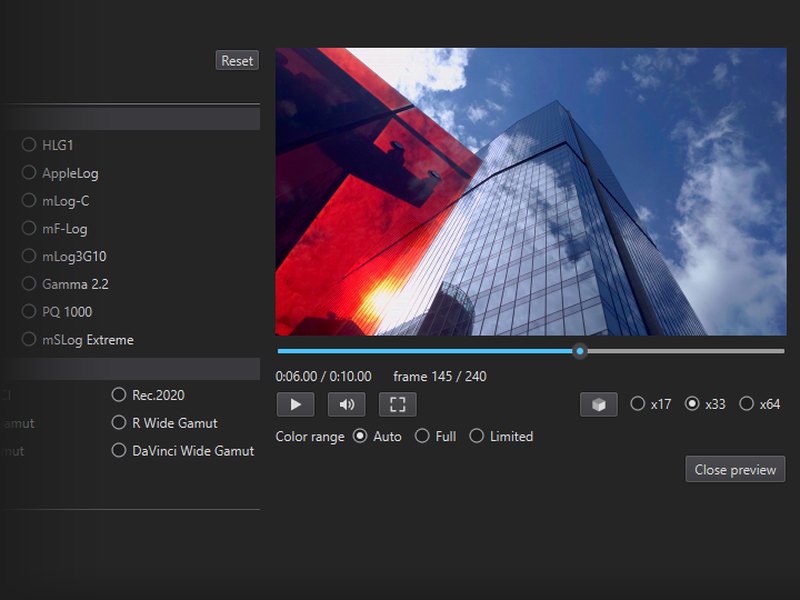
Get It for a Steal!