
mcpro24fps Virtual Disk adds a disk to Windows where every .mcpro clip from your folders appears as a CinemaDNG folder: DNG frames and a WAV file with the sound. Nothing is copied or converted in advance. The frames are made at the moment a program reads them, and they take no space on your drives.
It is meant for DaVinci Resolve, including the free version, and for any other program that reads CinemaDNG. Resolve sees an ordinary CinemaDNG clip, so its RAW panel works. For Premiere Pro use the module for Adobe instead: Premiere does not open these DNG frames.
The installer from mcpro24fps.com installs the disk together with the free Dokany driver (see Installation). The disk needs a sign-in with RAW Bundle in the converter's account window. Without it, the disk is not connected.
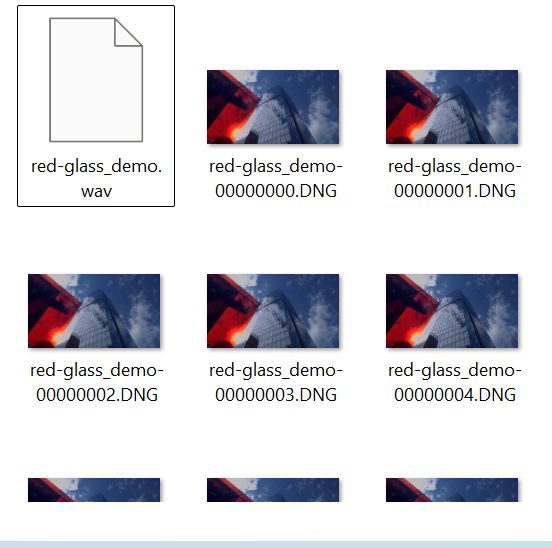
What is on the disk
- The disk is called mcpro24fps and is read-only.
- At the top level are the folders you added, under their names, with their subfolders.
- Each clip
Clip.mcprobecomes a folderClipwith numbered DNG frames, the soundClip.wavwith the timecode, and gyro data and lens profiles if the clip has them. - The frames are the same as in a CinemaDNG sequence from the converter. Dropped frames are filled with the previous frame.
- A new clip appears on the disk a couple of seconds after you copy it into the folder. If you rename or delete a clip in the folder, the disk changes at once.
- A folder on a drive that is not connected (a USB drive, a card) disappears from the disk and comes back when you connect the drive again.
Using it in DaVinci Resolve
- Add the folder with your clips in the disk settings (see Disk settings).
- In Resolve, open the disk in the Media page and add the clip folders to the Media Pool, like any CinemaDNG.
- Develop the clip in the Camera RAW panel.
If the disk is not connected, or a folder is removed from it or renamed, Resolve shows those clips as Media Offline. Bring the folder back, or relink the clips in Resolve.