
mcpro35mm is an app for taking photos with manual control of the phone's camera. You set ISO, shutter speed, focus and white balance yourself and choose how the photo is saved: camera JPEG, DNG, Ultra HDR, HEIC or AVIF.
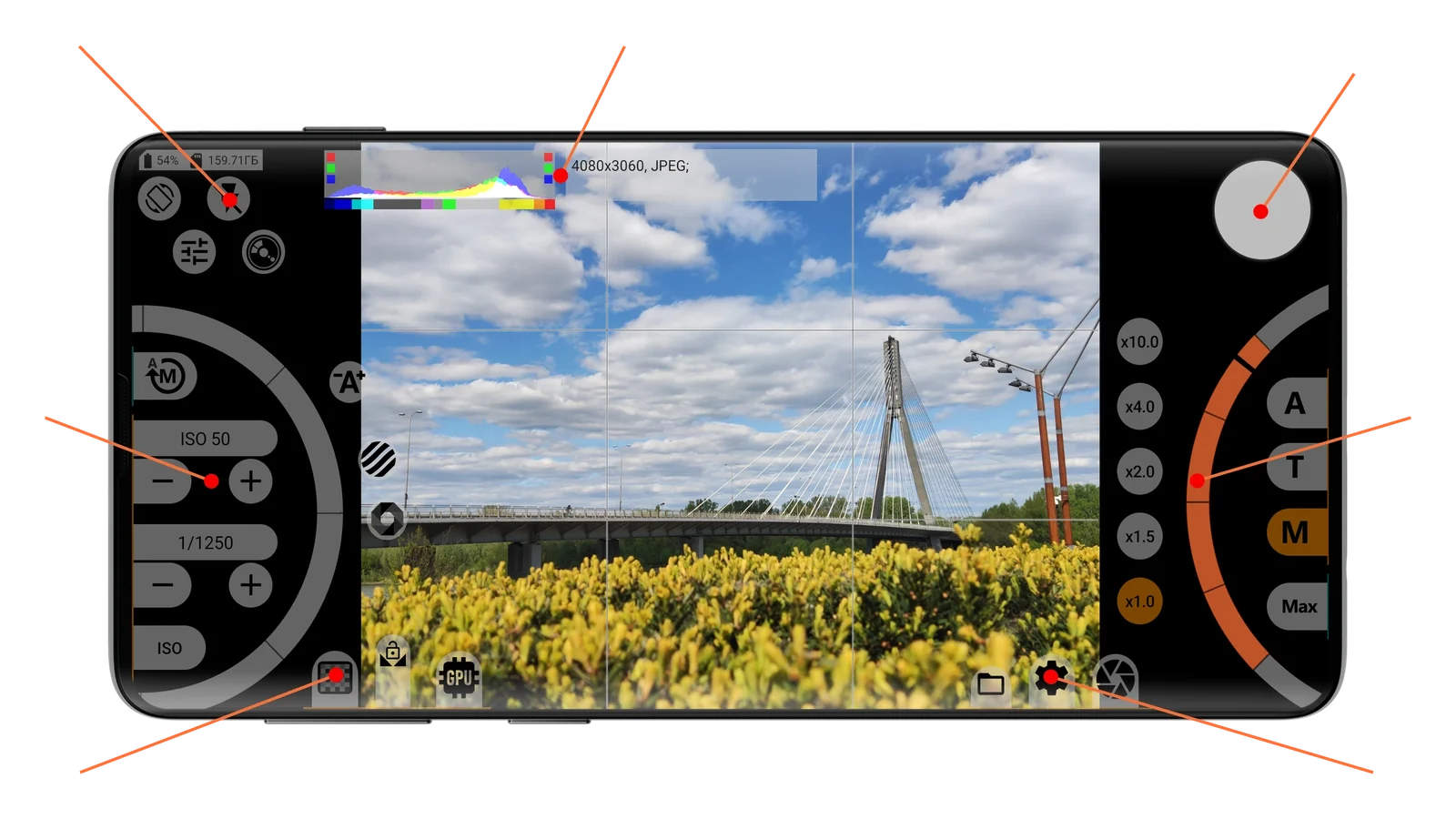
The chapters of this guide follow the areas of the shooting screen, named as they are in the app settings. The picture of each area has numbers on it, and the buttons are described below under those numbers. Step-by-step articles are in the How to chapter.
Which items you see depends on the phone and the selected camera. Rows that the camera does not support are hidden or grayed out.
Full version and free trial
You can still change the settings without a purchase. While any paid option is selected, the shutter button shows a red lock, and pressing the shutter opens the purchase window. Return the settings to their defaults or buy the full version, which is a one-time purchase. The self-timer, photo rating, author name and resolution choice also work without a purchase.