
mcpro24fps is a video camera app for Android with manual control. It gives you the camera settings that the phone's own camera app usually hides: frame rate and frame size, ISO and shutter speed, manual focus and zoom, white balance, log profiles with a monitoring LUT, codecs and bitrates, RAW recording, and monitoring tools such as zebra, false colour and focus peaking.
What is available depends on the phone and on the camera you use. The app shows only what the phone supports; where a setting works only on some phones, this guide says so.
How this guide is organised
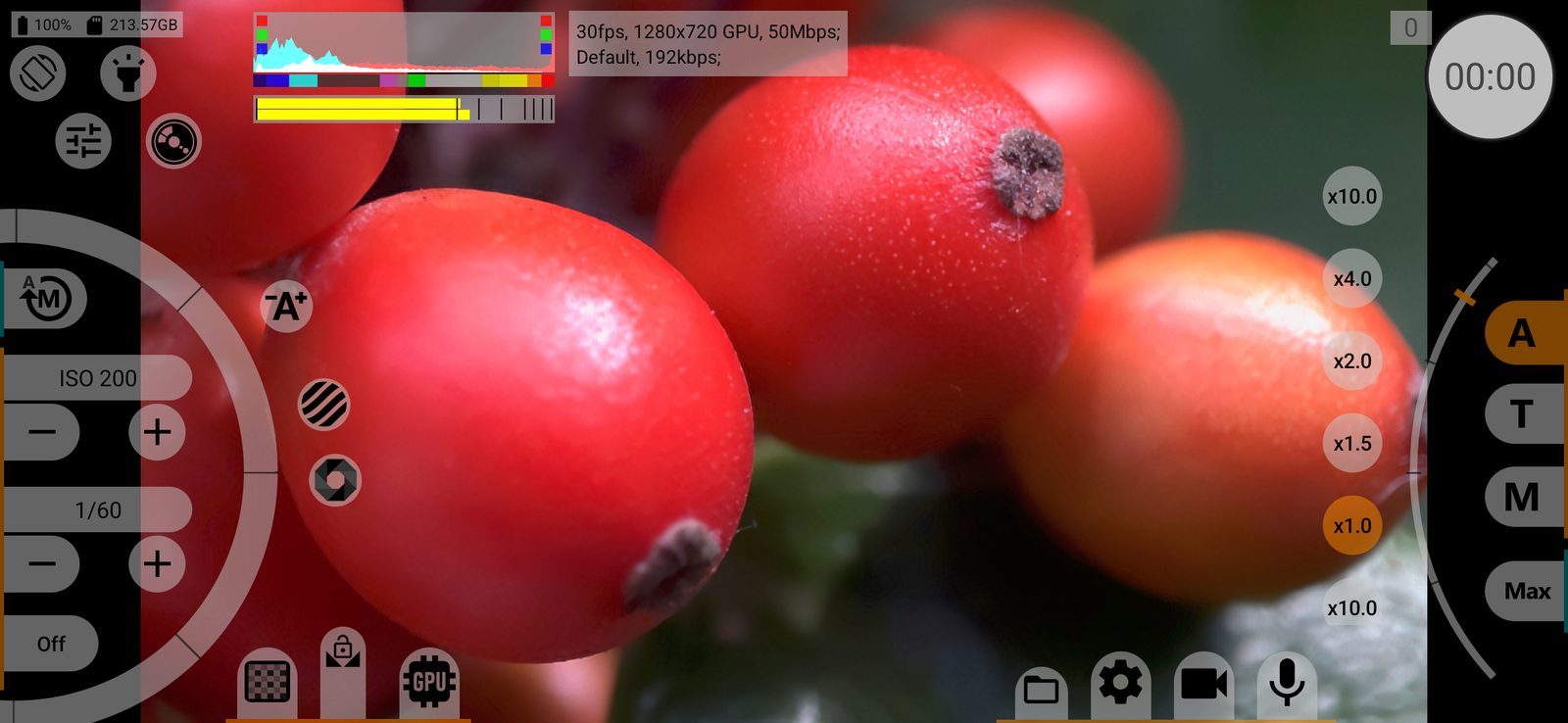
The guide follows the shooting screen. It is divided into seven areas, named the same way as in Interface, where you can hide or show each of them:
- Quick access buttons: orientation, flashlight, presets, camera choice;
- Indicators & information area: histogram, audio levels, battery, storage, warnings and the information panel;
- Record button: recording, snapshots, recording time and dropped frames;
- Exposure controls: ISO, shutter speed, exposure compensation, zebra and false colour;
- Focus and zoom controls: focus, zoom, zoom factors and programmed moves;
- Image controls: white balance, colour profiles, curves and GPU image processing;
- Settings buttons & media manager: the video and audio menus, the settings menu and the media manager.
To find a setting, follow the same path as on the phone: the area of the screen, then the button, then the menu. The path is shown above every page. Each setting has its own section; its link stays the same in every language.
If you know what you want to do but not where the setting is, start with the step-by-step articles at the end, or search the site.