
In the app: video camera (video menu) Metadata settings
Metadata settings decide what is written into the video file besides the picture and sound: colour tags, pixel aspect ratio, location, timecode, gyro data and an embedded LUT. They take effect from the next recording.
The section is unavailable when the codec is RAW (the RAW codec settings have their own gyro row), and on Android older than 8.1.
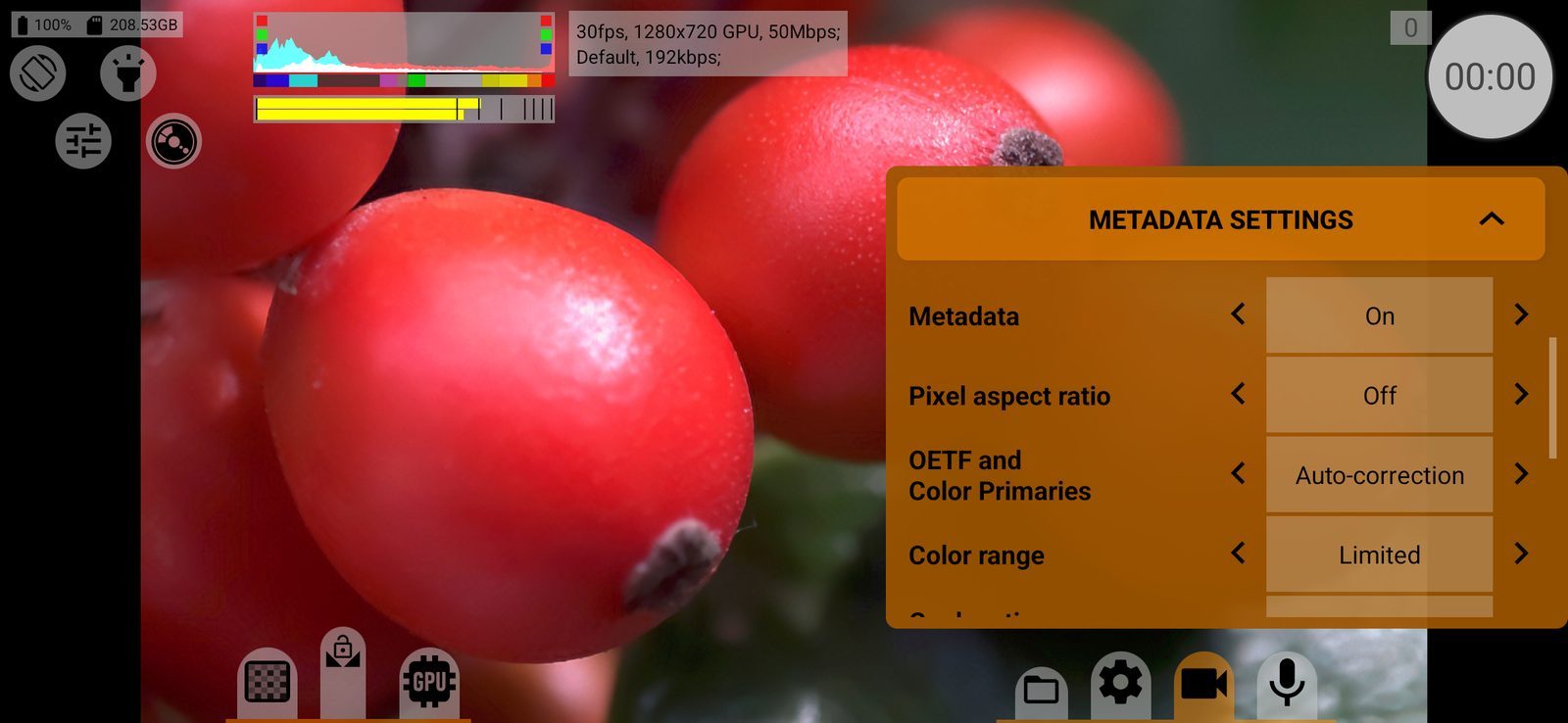
Metadata
The main switch for this section: On / Off. Default: On.
With On, the file gets the app's own tags (phone, app version, colour curve, white balance, exposure and so on), and the other rows of this section become available. With Off the other rows are greyed out.
On the system container the file is rewritten after recording to add these tags. With Off that step is skipped and the file stays exactly as Android wrote it.
Pixel aspect ratio
Writes the pixel aspect ratio into the file, so that editing software shows anamorphic footage stretched to its true proportions: Off / Same as viewfinder. The ratio is taken from Desqueeze viewfinder in the viewfinder settings and is written only when that is more than 1. Stored separately for each camera. Default: Off.
Locked to Off when the video itself is desqueezed through the GPU: the frame is already stretched.
OETF and Color Primaries
What the file says about its transfer function and colour primaries, so that players and editors show the colours correctly:
- Leave as is: as written by the phone's encoder;
- Auto-correction: chosen from the selected colour curve and gamut (for example, linear for a linear curve, HLG for HLG, BT.709 for log curves);
- BT.709, PQ/BT.2020, HLG/BT.2020, BT.601 PAL, BT.601 NTSC, sRGB: fixed sets;
- Linear/Auto: linear transfer, primaries from the gamut.
Stored separately for each codec. Default: Auto-correction.
Color range
The colour range flag in the file: Leave as is, Auto-correction (the range the camera actually delivered), Limited or Full. A wrong flag makes the picture look washed out or too contrasty in other software. Stored separately for each codec. Default: Limited.
Geolocation
Writes the location into the file: Off / On. Turning it on asks for the location permission; without it the row stays Off. When possible: coordinates are written only if the phone already knows where it is. The same setting adds the location to snapshots and to RAW recordings. Default: Off.
Timecode
Adds a timecode track to the file: Off, UTC or Local (the phone's time zone). The timecode starts at the time of day of the first frame. In slow motion its frame rate matches the playback rate. In RAW recordings the same setting sets the timecode of DNG frames; with Off they count from 01:00:00:00. Default: Off.
On the system container the timecode is added after recording, and only to files larger than 1 MB.
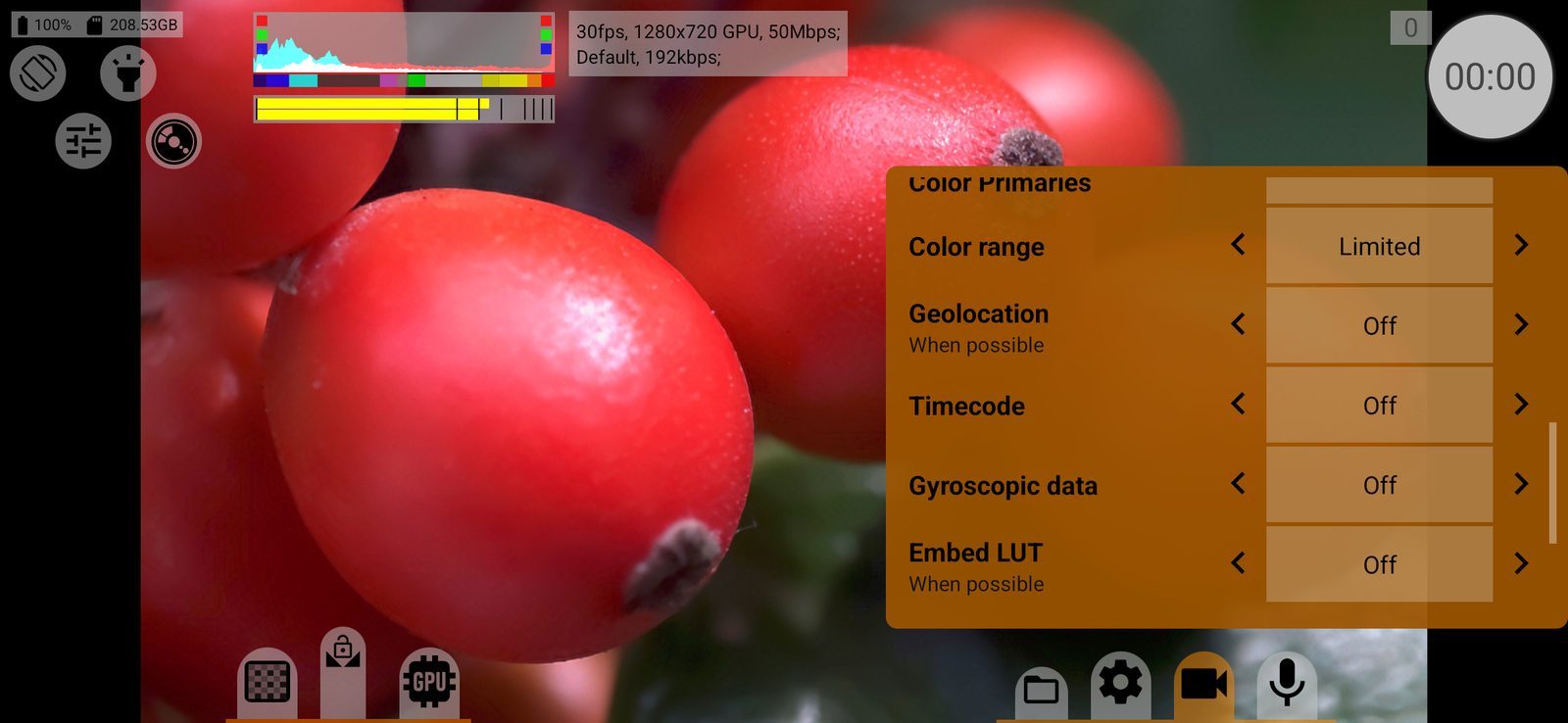
Gyroscopic data
Records the phone's gyroscope for stabilisation in Gyroflow:
- Off;
- GPMF: a gyro track inside the clip, plus a
<clip>.lensprofile.jsonfile next to it. If the track can only hold a limited length at the current bitrate, the value shows the limit (for example, "max. 40 min"); - gcsv (external file): no track inside the clip;
<clip>.gcsvand<clip>.lensprofile.jsonare saved next to it; - Protobuf: a track inside the clip, with the lens profile included.
GPMF and gcsv open in the regular Gyroflow release, Protobuf only in Gyroflow nightly builds at the time of writing. If the phone has no gyroscope, nothing is recorded. If the lens changes during a recording, extra <clip>-<frame>.gcsv and .lensprofile.json files appear for each segment. Default: Off.
Embed LUT
Embeds the viewfinder LUT into the file, so that it can be extracted later and applied in editing:
- Off;
- Viewfinder LUT x33 (or Rec.709): the LUT itself (33-point cube) plus the parameters to rebuild it;
- Editable Meta-LUT only: only the parameters, without the LUT.
When possible: only when the selected colour curve allows building a LUT (log, linear, Rec.709, HLG, PQ). Never for RAW. Default: Off.