
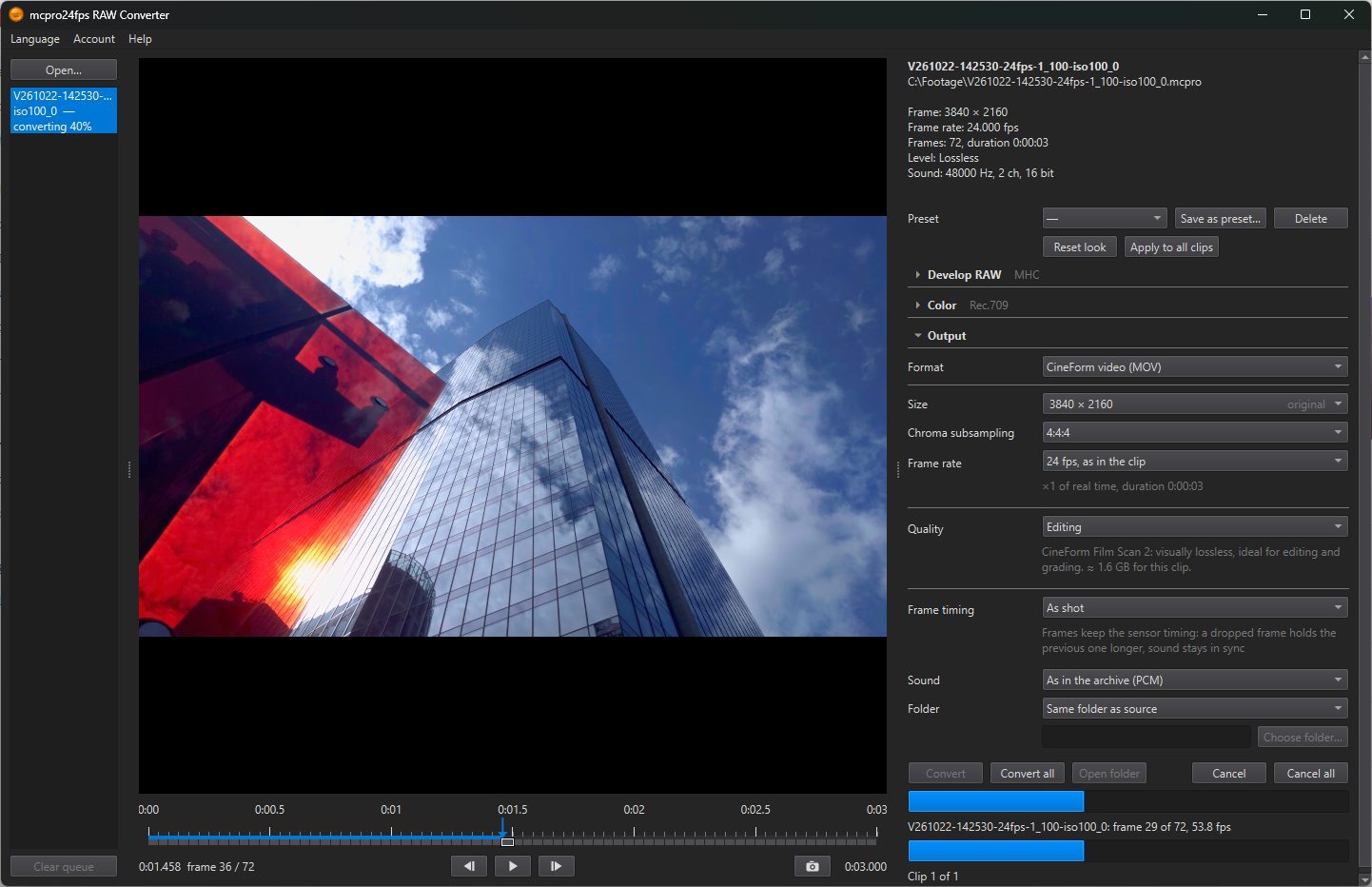
1Starting
- Convert: the selected clip.
- Convert all: every clip in the list, one after another.
Each clip is converted with its own look and the shared Output settings. Until you sign in with RAW Bundle, the buttons read Sign in… and open the account window.
During conversion, the line under the buttons shows …: frame … of …, … fps, and for several clips Clip … of …. You can keep working meanwhile: pick other clips, change their look, play them. A clip in the queue is converted with the settings it had when you clicked the button; later changes do not affect it.
- Cancel: stops the current clip and deletes its unfinished file. The rest of the queue carries on.
- Cancel all: stops the current clip and clears the queue.
When it is done, the program shows Done: … with the path of the file, or for several clips Finished: … done, … cancelled, … failed. Open folder opens Explorer with the file selected.
If you close the window during a conversion, the program asks A clip is being converted. Stop and close?
When the file already exists
If the output folder already has a file or a CinemaDNG folder with the same name, the program lists them and asks: Files already exist: …. Replace them?
- Replace: write over them.
- Save with an index: keep them and save the new ones alongside under a numbered name:
Clip_2.mov, or a folderClip (2). - Skip these: do not convert these clips.
Errors
If a clip could not be converted, the list shows the reason next to it. The most common ones:
| Message | What to do | |---|---| | Storage ran out during the conversion — the file was deleted | Free space on the disk or choose another Folder. | | Could not create the output file | The folder is read-only or unavailable: choose another one. | | Cannot read the LUT … | The .cube file was moved or is damaged: choose it again in LUT. | | The graphics card (GPU) failed | Update the graphics driver, and close programs that use a lot of video memory. | | Video encoder error (H.264 / HEVC) | Choose another Encoder or another codec. | | Not enough memory | Close other programs, or convert to a smaller Size. | | Connect to the internet so that the RAW Bundle license can be checked. | The computer has been offline for more than 14 days. | | This account already uses RAW Bundle on the maximum number of computers. Sign out on one of them. | See Computers. |
If an error keeps coming back, send the log (Help → Open log folder) to info@mcpro24fps.com.