
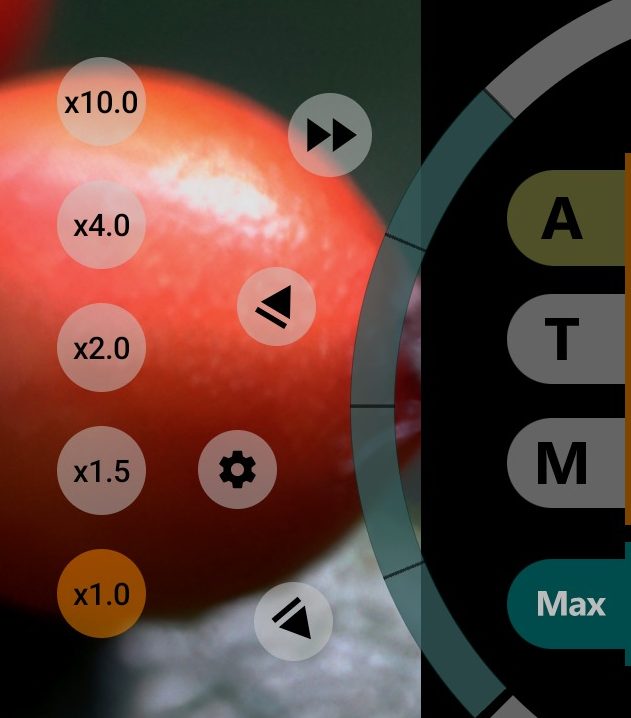
1Programmed pull
A zoom pull moves the zoom smoothly between two set points, like a focus pull.
- starts the zoom and focus pull: zoom goes to whichever of its limits is further from the current position. Without zoom limits, zoom goes to the end of its range.
- a pull is running; tap to stop.
See the programmed pull for details.
2The wheel
In zoom mode the arc is teal and the wheel sets the zoom. Turn it by moving a finger around its centre. The whole arc covers the full zoom range, or the range between the zoom limits if limits are set. While your finger is on the wheel, the frame shows the zoom factor ("x1.23") or, on phones without zoom factors, the crop size in pixels. Touching the wheel closes open menus and stops a running pull. The position is saved when you lift your finger, except during recording.
4Zoom top limit
- tap to zoom in smoothly to the top limit, or to the end of the range. Long-press to set or clear the limit, as for focus.
- zoom is moving; tap to stop.
6Zoom pull settings
Opens Duration and Curvature for zoom; they work as for focus.
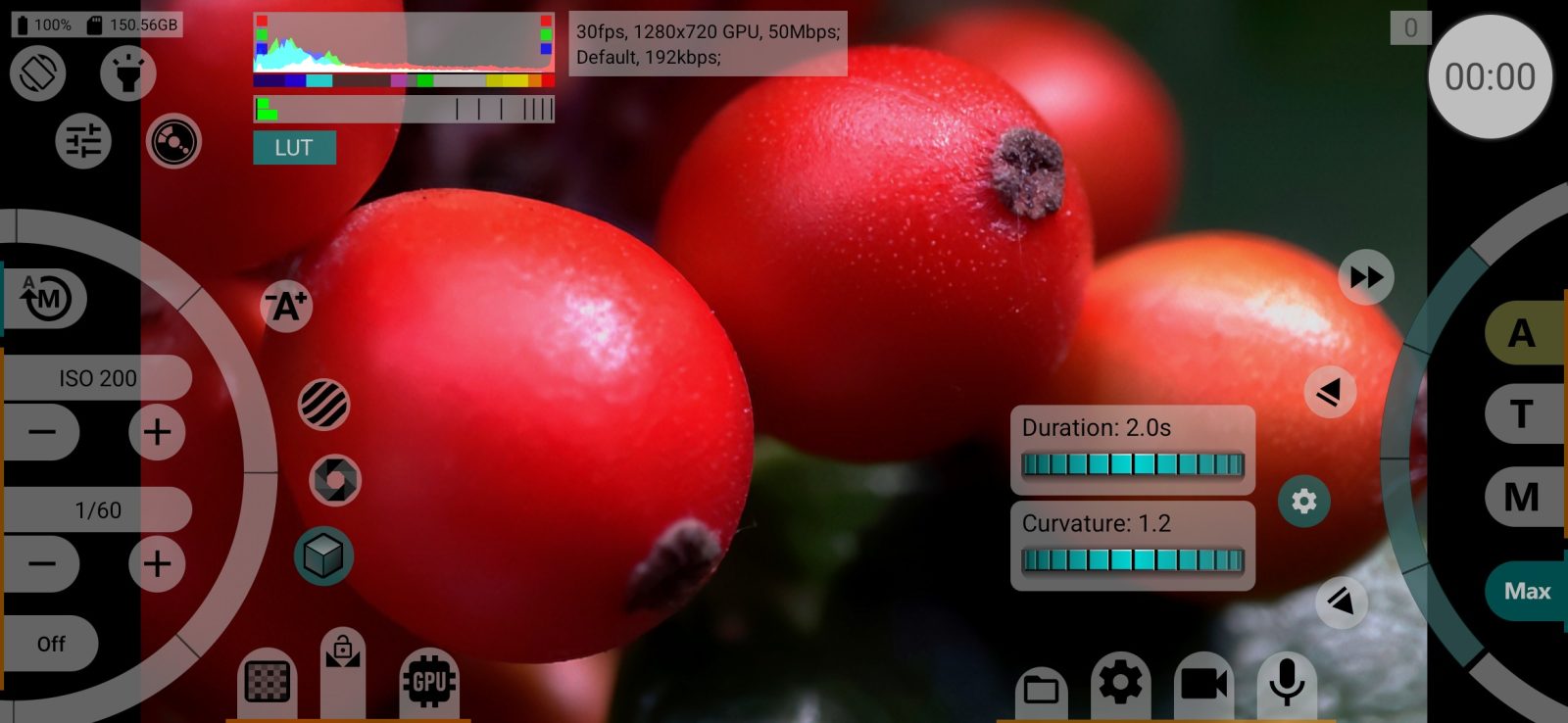
8Zoom bottom limit
- the same towards the wide end.
- zoom is moving; tap to stop.
9Zoom mode
Switches the wheel to zoom; the button is highlighted while the wheel is in zoom mode. The selected focus mode keeps working. To return the wheel to focus, tap A, T or M. In this mode the pull and zoom limit buttons appear.
Long-press the button to step through Maximum zoom values. The button shows the current one:
- up to video size: a crop where one sensor pixel is one video pixel;
- up to ×1.5 of that;
- up to ×2.0 of that;
- up to the camera's maximum (default).
The button is hidden if the camera has no digital zoom, and in RAW.
10Zoom factor buttons
The buttons above the wheel jump to set zoom factors, such as x0.6, x1.0, x2.0. On phones with several rear cameras, the phone itself picks the camera module for the zoom factor. On some phones, including several Sony Xperia models, the buttons show focal lengths in mm and switch lenses directly. They work during recording and in any wheel mode.
Smooth zoom factor switching makes the jump a 0.2-second transition. If a factor is beyond Maximum zoom or the zoom limits, the app shows This zoom factor is unavailable: it is limited by the Maximum zoom setting or by the set zoom limits.. The buttons are hidden by Zoom factor buttons and, on Sony, in RAW.
Related settings
In Control: Maximum zoom, the top of the zoom scale, the same values as on the zoom mode button. The change takes effect immediately, so the zoom jumps if the wheel stays in place.
In Interface: Zoom factor buttons and Smooth zoom factor switching.