
In the app: video camera (video menu) Hardware settings
Hardware settings control the processing done by the phone's camera itself, before the image reaches the app. The list of values comes from the camera: a row appears only when the camera offers a choice, so the set of rows differs between phones and between cameras of one phone. All values are stored separately for each camera.
For RAW the section has its own set of rows (below).
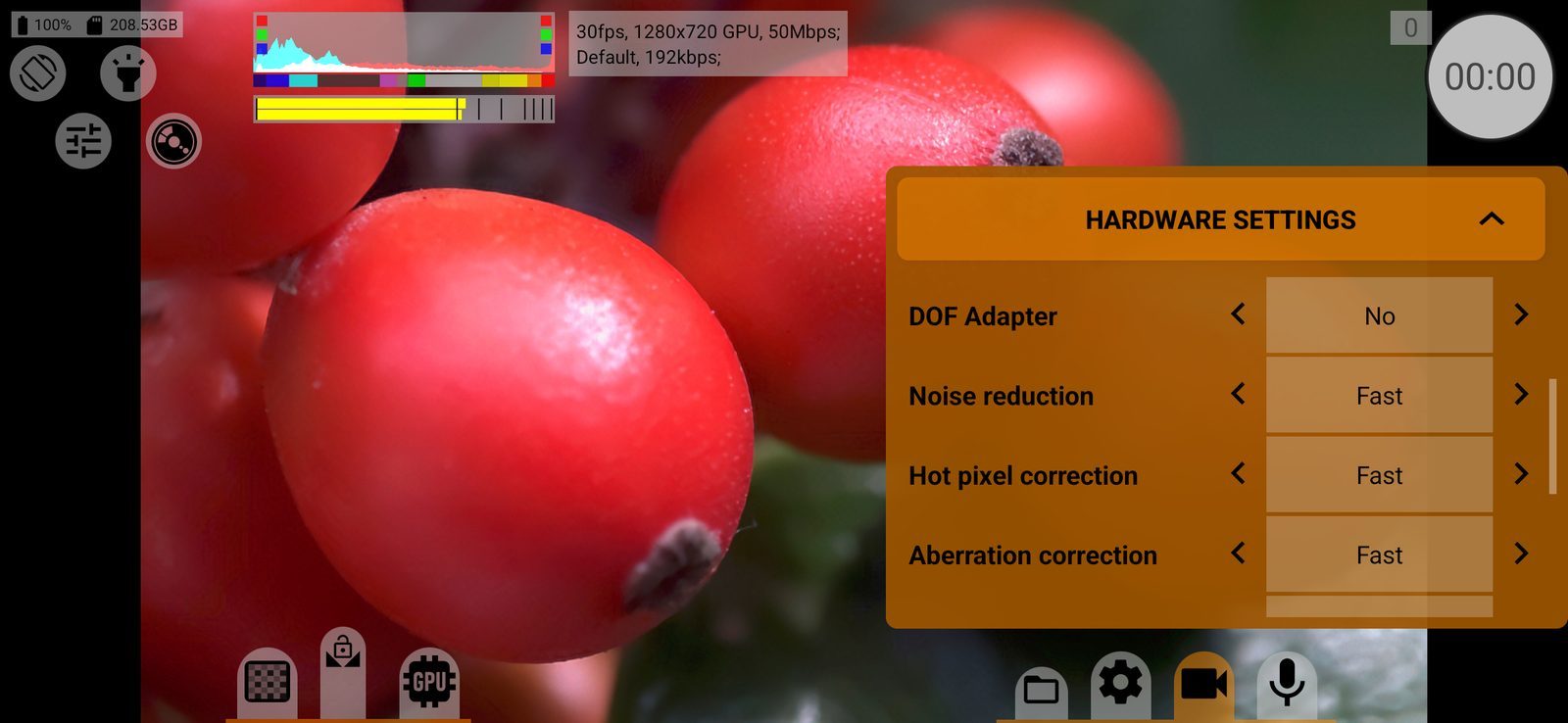
DOF Adapter
No / Yes. For DOF adapters that turn the image upside down: rotates the viewfinder and the HDMI output by 180° and writes the matching orientation into videos, snapshots and RAW files. Default: No.
Distortion correction
Lens distortion correction by the camera: Off, Fast, Best. The result is part of the recorded image.
Noise reduction
Noise reduction by the camera: Off, Fast, Best, Minimal, as the camera offers. Stronger noise reduction cleans the image but smears fine detail. On some phones the app also switches the manufacturer's multi-frame noise reduction. Changing it may restart the camera session.
Hot pixel correction
Correction of hot pixels: Off, Fast, Best.
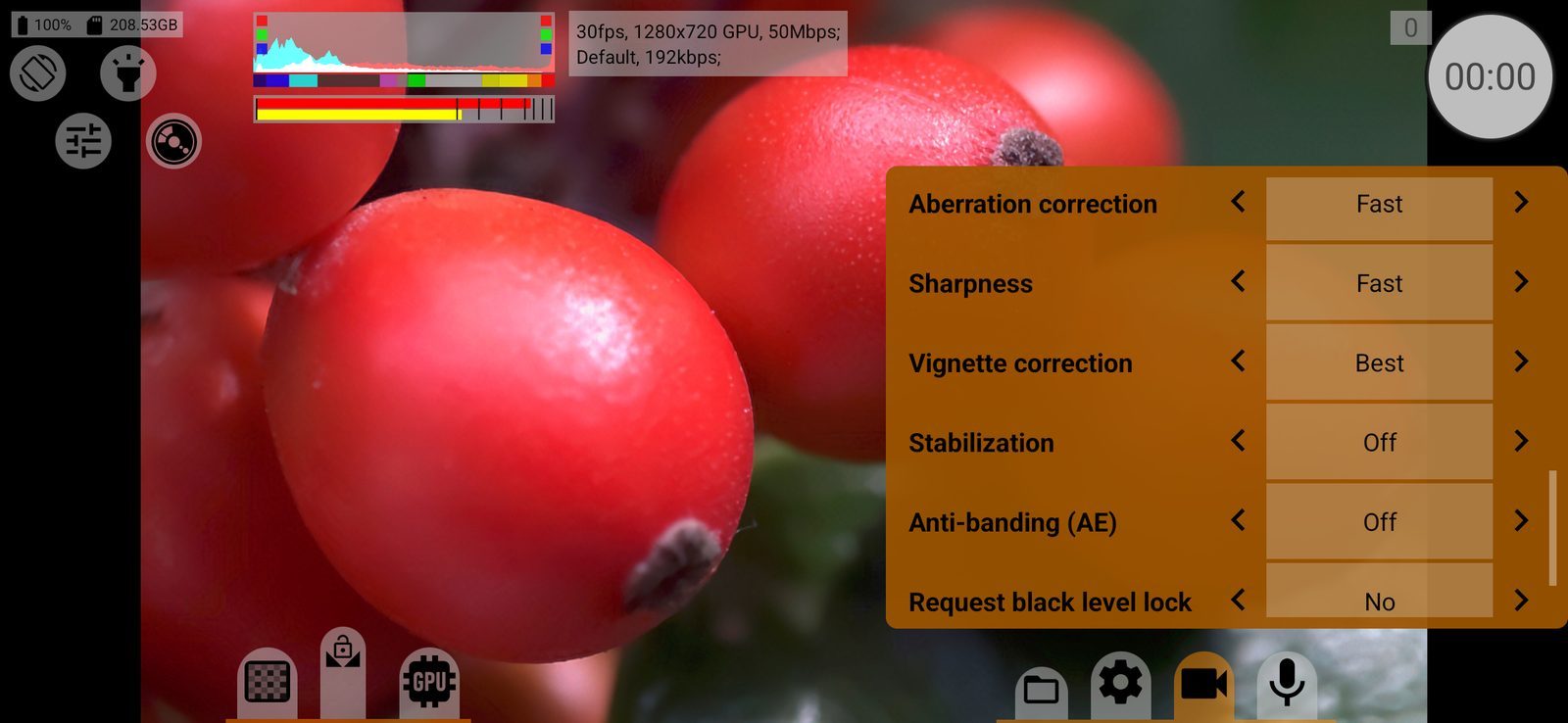
Aberration correction
Correction of chromatic aberration (colour fringes): Off, Fast, Best.
Sharpness
Sharpening by the camera: Off, Fast, Best. With Off the image is softer but easier to grade and sharpen later. Changing it restarts the preview.
Vignette correction
Correction of vignetting (darker corners): Off, Fast, Best.
Stabilization
Image stabilisation: Off, Optical, Digital or Opt.+Dig., only the combinations the phone supports. Digital stabilisation crops the frame; switching it on or off resets zoom. On some phones optical stabilisation cannot be turned off.
Anti-banding (AE)
Suppresses flicker from mains-powered lights: Off, 50Hz, 60Hz, Auto. Choose the frequency of the local power grid (50 Hz in Europe, 60 Hz in North America). At 60 fps and higher frame rates the app uses 60 Hz if the camera supports it.
HDR
Only on some phones: Sony Xperia (HDR, MFHDR), LG (HDR, HDR10), Xiaomi Mi 10 and Mi 11 with 10-bit (HDR10), OnePlus 8. The manufacturer's HDR mode for video. Greyed out when HDR is not possible with the current settings.
Request black level lock
No / Yes. Asks the camera to keep the black level fixed, so that the shadows do not shift during a shot. Whether the camera honours it depends on the phone. Default: No.
RAW
With RAW the section shows DOF Adapter, Stabilization (optical only) and Anti-banding (AE), plus three rows of its own. Sharpening, hot pixel and aberration correction and HDR are always off for RAW.
Distortion correction (RAW)
Metadata, when possible: Include writes the lens distortion data into the DNG files so that RAW software can correct it; Exclude leaves it out. The RAW pixels are not changed either way. Default: Include.
Vignette correction (RAW)
Off, or fast or best correction, either written into the DNG as metadata (Fast Metadata, High quality Metadata) or applied to the pixels (Fast Baked in, High quality Baked in).
Noise profile
Metadata, when possible: Include writes the sensor's noise profile into the DNG files for noise reduction in RAW software; Exclude leaves it out. Default: Include.