
In the app: VIEWFINDER SETTINGS
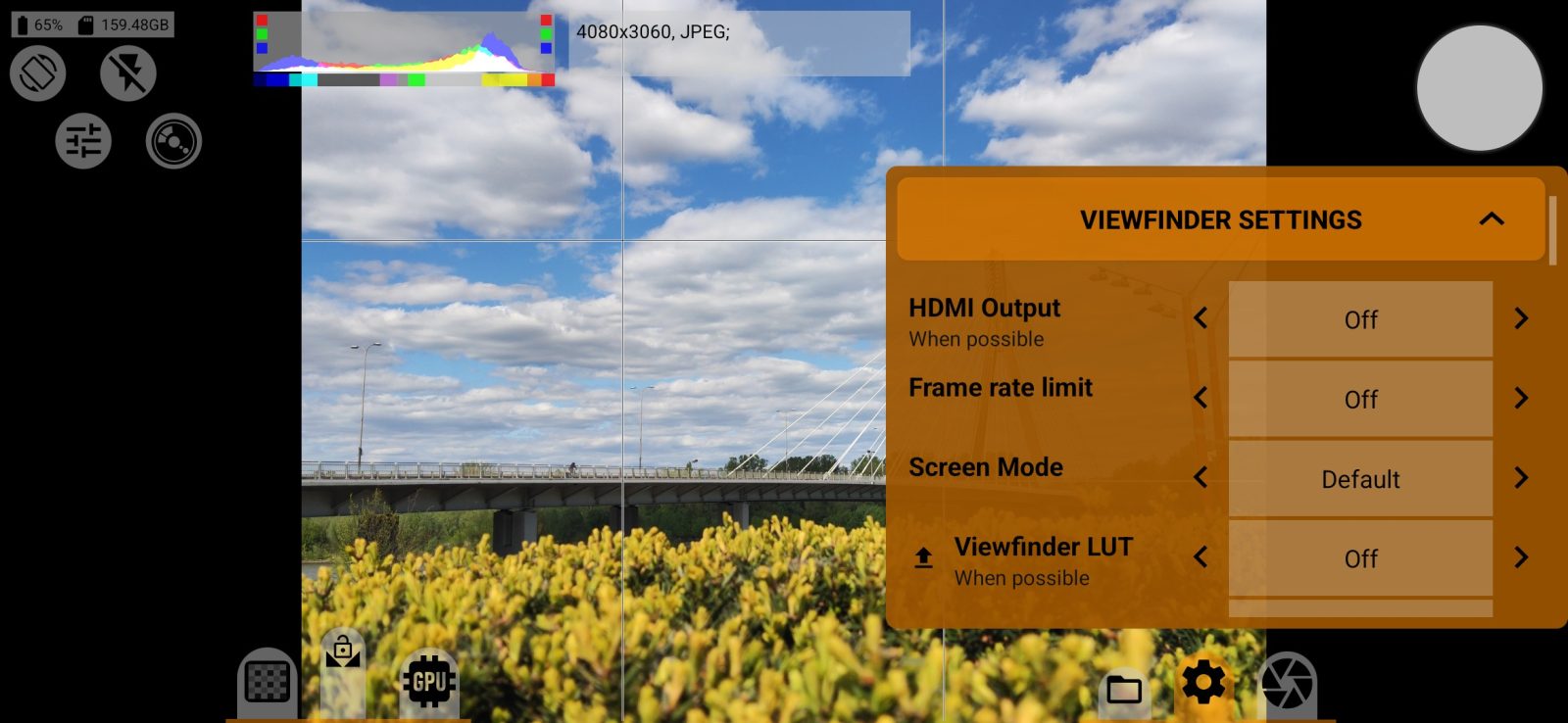
Everything in this section affects only the picture on the screen and does not change the photo.
- HDMI Output: sends the image to an external monitor, if the phone supports it.
- Frame rate limit: limits the viewfinder frame rate.
- Screen Mode: how the picture is drawn on an HDR screen.
- Viewfinder LUT: a LUT for viewing only. The button next to it saves the LUT to a
.cubefile. - Resolution limit: the viewfinder resolution.
- Histogram: the histogram view, or off. Waveform and RGB Parade are here too.
- EV of scene, Scene color temperature: labels with scene readings, and their measuring areas.
Focus peaking
Highlights the outlines of what is in focus. Focus peaking mode sets when the highlight is visible: always, or when you touch the focus wheel. Focus peaking strength makes it more visible.
Expo-peaking
Expo-peaking type selects Zebra or False Color. Bottom limit and Top limit set the thresholds in percent, 2.5 and 97.5 by default.
Grids
- Frame lines: a frame of the chosen aspect ratio, including 65:24 and 3:1.
- Grid: composition lines.
- Desqueeze viewfinder: stretches the picture on the screen for an anamorphic adapter.