
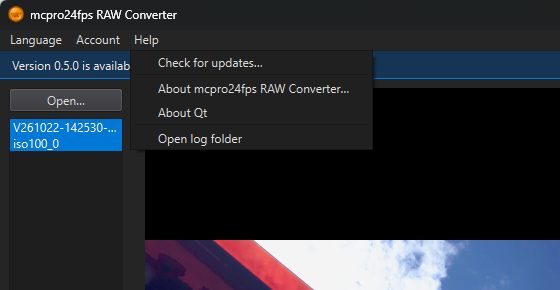
In the program: Help Check for updates…
The Microsoft Store version is updated by the Store, like any other Store app. Everything on this page is about the version installed from mcpro24fps.com.
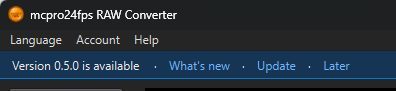
Each time it starts, the converter asks the mcpro24fps server whether there is a newer version. If there is, a bar appears across the window under the menu, with three links:
- What's new opens the update window with the list of changes;
- Update opens the same window and starts the download at once;
- Later hides the bar for a week.
To check yourself, use Help → Check for updates…. To turn off the automatic check, open Help → About mcpro24fps RAW Converter… and clear Check for updates automatically.
1Installing an update
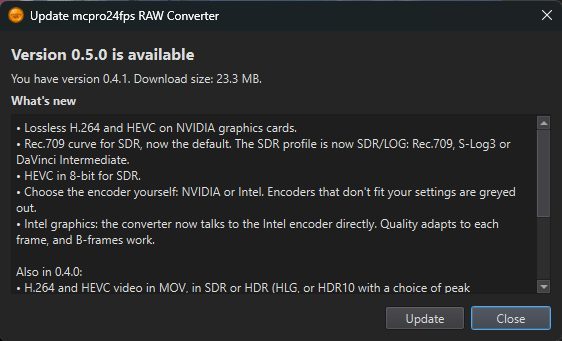
The update window downloads the new installer and checks it before running it. The file must be signed by Chantal Pro SIA and match the checksum from the server. If it fails the check, it is deleted and nothing is installed.
Install closes the converter, updates the whole set (converter, module for Adobe, virtual disk) and opens the converter again. If the programs were installed for all users, Windows asks for permission first.
- While a clip is being converted, Update and Install are unavailable: Stop the conversion first.
- While Premiere Pro, Media Encoder or After Effects is open, the module for Adobe cannot be replaced. The window shows Close Adobe programs with a list of what is still open, and carries on by itself once they are closed.